
PostHog
Product analytics, session replay, and feature flags — see how users move through your app, watch real sessions, and roll out features gradually.
Why we need this
PostHog is the service that gives us product analytics for your app, plus a few things that go beyond it. It records the events people trigger as they use the app — screens they open, buttons they tap, flows they complete — so we can see which features get used and where people drop off. On top of that it gives us session replay to watch how a real user hit a problem, and feature flags so we can roll a new feature out to a small group before everyone gets it. Calda connects to it through the PostHog SDK so every build sends data into one place we can analyze together.
Like all other accounts, this one should be owned by you. Your usage history, funnels, and behavioral data build up over time and tell the story of how your product is actually used — keeping the account under your company means that data and the insights from it belong to you, not us.
Do I need a credit card?
No. PostHog has a free tier that's generous enough to set up the account, invite us, and start collecting events from early beta. No card is required to create the account or add team members.
Heads up before launch
The free tier caps how many events and session recordings it ingests each month. Once your app has real users, you may cross that limit and need a paid plan to avoid dropping data — worth planning for around launch.
Step-by-step setup
Create your PostHog account
Sign up at posthog.com using the company email that should own the account. During signup PostHog creates an organization for you — this is the container that holds your projects and team members.
The signup form starts with a Data region dropdown — United States or European Union. You can also sign up with Google, GitHub, or GitLab instead of a password.
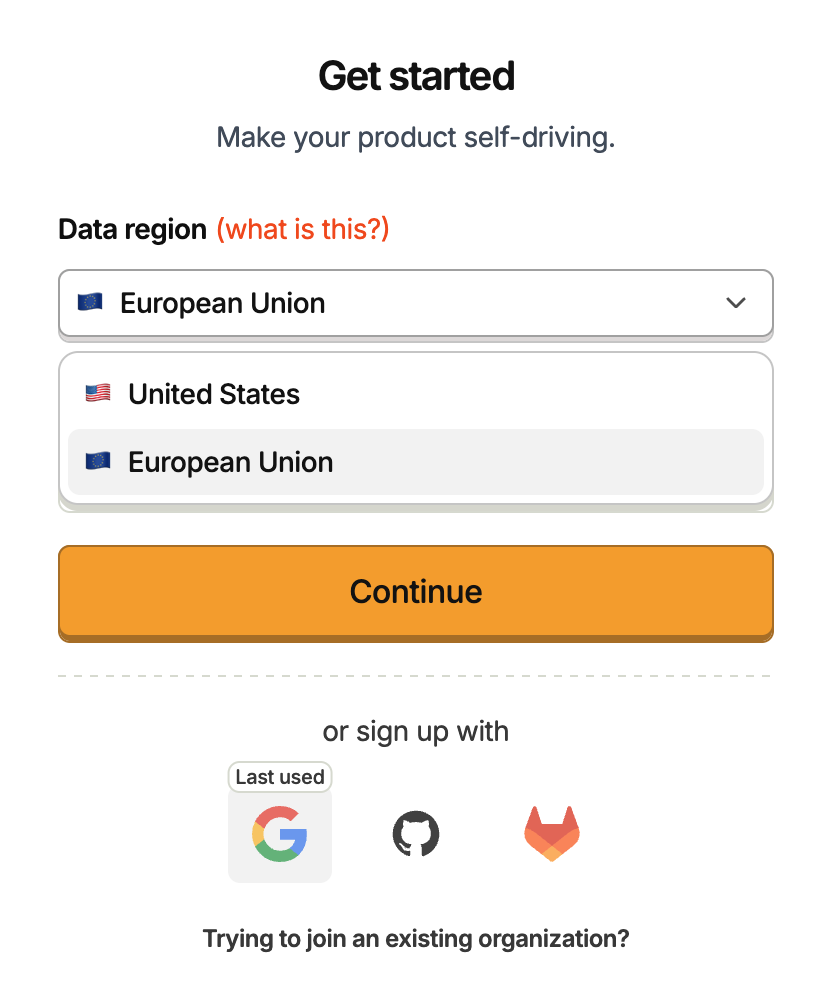
Pick your data region carefully
The data region is where all of your analytics data is stored, and it cannot be changed later — moving regions afterwards requires a support ticket and a paid plan. If you have EU users or GDPR requirements, choose European Union. Ask us in Slack first if you're unsure.
Create a project
PostHog creates a first project for you during onboarding — that's usually all you need. The project is where all of your app's events, recordings, and feature flags live, and it's what the SDK sends data into.
Not sure how to set it up
Don't worry about getting the project settings exact — we can adjust the configuration once we're in. The important part is that the organization and project exist and we have access.
Invite Calda to your organization
Open Settings → Organization → Members and click to invite a new member. Enter the Calda email we share with you and set Organization level to Admin, then click Invite team members — we'll get an email to accept it.
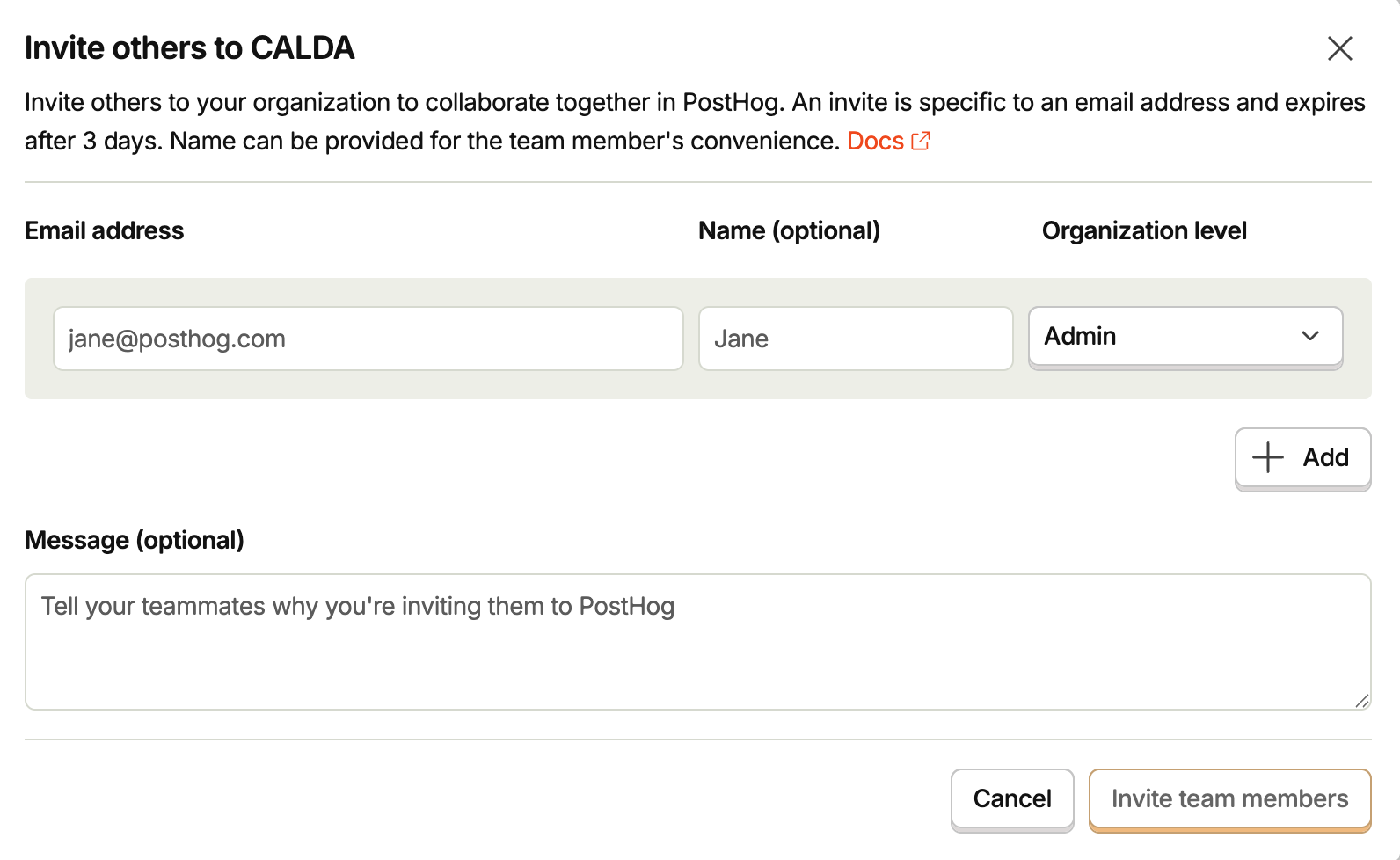
Admin is the level we need: it lets us create projects, manage the SDK and API credentials, and configure events, replays, and feature flags across your organization. Your account stays the Owner, which is the only level that can transfer ownership or delete the organization — so control stays with you.
As the dialog notes, an invite is tied to that one email address and expires after 3 days. If we don't accept in time, just send a fresh one.
Confirm in Slack
Don't forget to notify us in Slack so we can accept the invitation and confirm that we can sign in.
Conclusion
That is it — with an organization and project in place and Admin access granted, we can wire up product analytics, session replay, and feature flags in your app. Once you've invited us and confirmed in Slack, we'll handle the rest of the integration on our side.
How is this guide?